Add Controls with Quick Add
Use Ctrl+Space in Layout & Controls to add a SpreadsheetWeb control quickly, choose its destination, and bind it to a compatible workbook named range.
Quick Add provides a keyboard-first way to insert controls while you work in Layout & Controls. It can also bind a new control to a compatible workbook named range as part of the same workflow.
Open Quick Add
- Open Layout & Controls and select the section or container where the control should be added.
- Press Ctrl+Space.
- Search for or choose the type of control that you want to add.
- Confirm the destination when prompted.
You can also open Quick Add from Overview in the current Designer's Page overview panel.
Bind a named range
For a control that can use workbook data, Quick Add asks whether to bind the control to a relevant named range.
- Select Yes to see compatible named ranges, or select Skip binding to create an unbound control.
- Choose the named range that the control should read from or write to.
- Confirm the selection to add the control to the page.
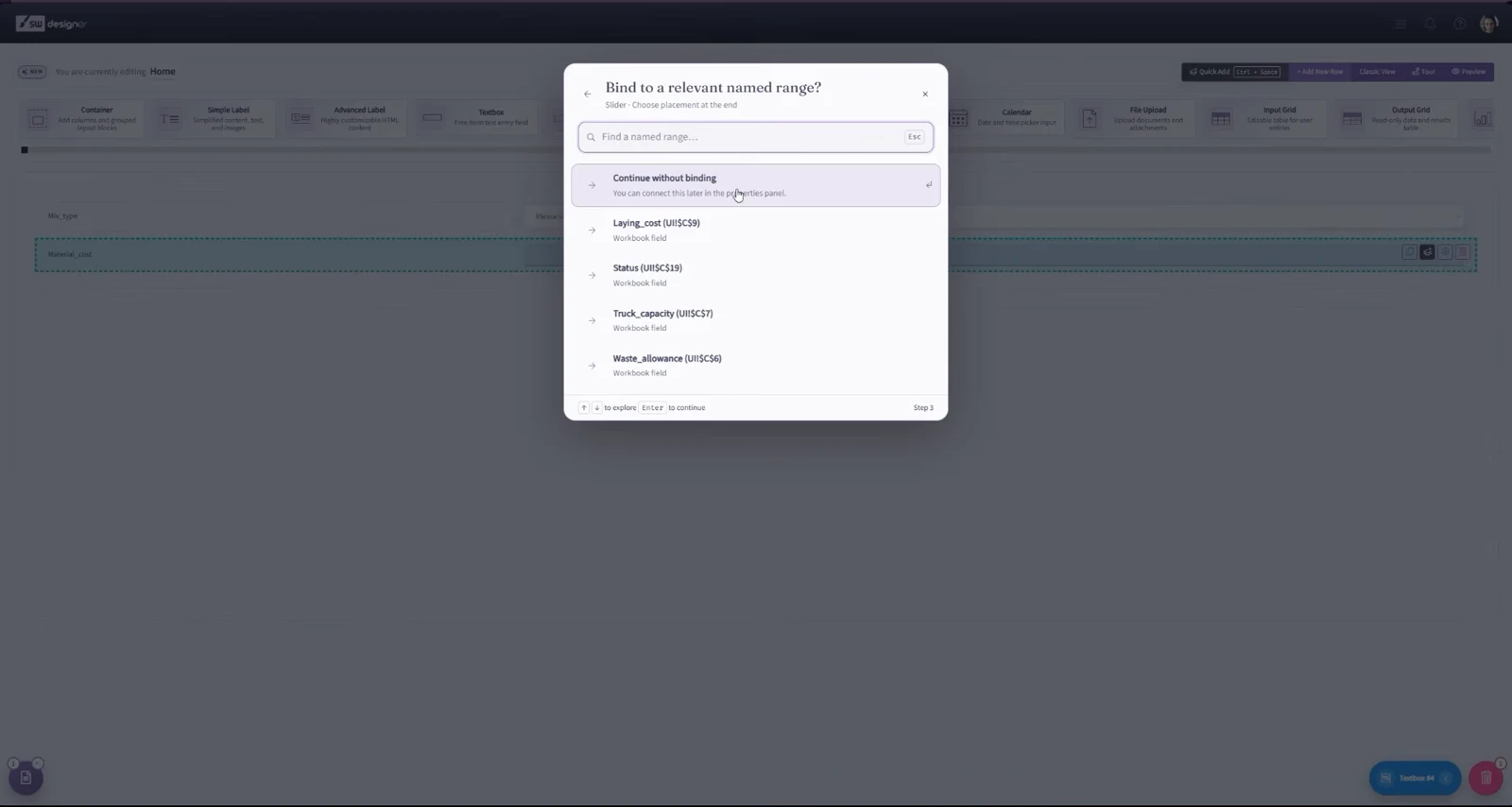
Named ranges that contain formulas or are already assigned to an incompatible input may not be available. After the control is added, select it on the canvas to review its Setup, Appearance, and Behavior settings in the Properties panel.
Quick Add does not replace drag and drop. Use whichever method is more convenient for the page that you are building.
Choose Quick Add or a library design
Use Quick Add for an individual control when you already know what belongs on the page. Use the Design Library for a complete flow, a designed page, or a reusable group of rows. You can add more controls with Quick Add after importing a library design.
If you skipped binding or imported controls that still need setup, open Workbook connections from Overview to review the application and finish its connections.