Lesson 3 of 5
Legacy platformRetrieve Password
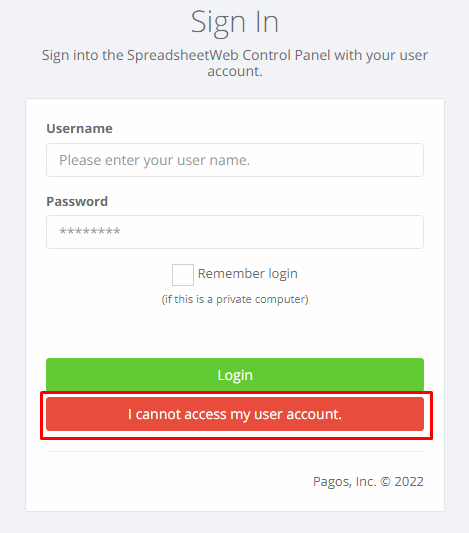
To reset your password, press I cannot access my user account. button when you’re on the login screen. Next, enter the email address you used to sign up and…
1 min readTo reset your password, press I cannot access my user account. button when you’re on the login screen.
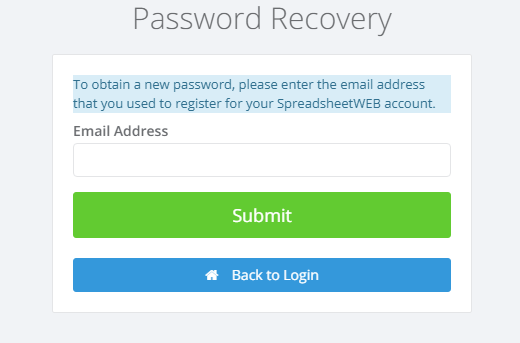
Next, enter the email address you used to sign up and press the Submit button.
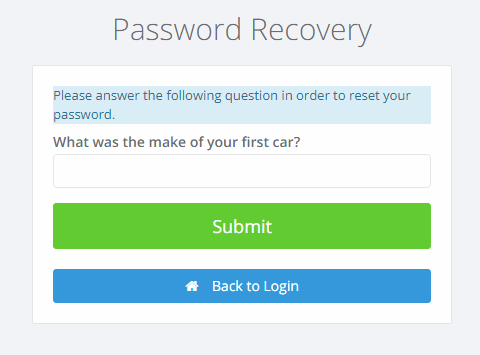
You will see your Security Question and the system will prompt you to enter your Security Question Answer. Once successfully entered, you will receive an email that will allow you to reset your password.
Click the Reset Password link to be directed to the password reset page. Here, you can set a new password.
Press the Submit button once you’re done to apply the changes.