


In this tutorial, you will learn how to publish your web application, and manage transactions. The design process is actively occurring on the web server as you make changes to the various components of your application.
Transactions handle the in design-mode versus the in production-mode of applications. Each transaction constitutes a version of your application. When you first create a Designer application, the system creates your first work-in-progress transaction.
When you are modifying your application as part of your first transaction, there is no production version of your application. Your end users are not able to access your application, entering or saving any data, or performing any calculations. You are free to make all of your modifications without fear that your changes will have an impact on your end users.
You need to Publish an application for it to go “live”. Publishing a transaction locks the transaction down and commits your changes to the production/published version of your application. You can do this from the dial menu on the top-right corner, and then pressing Publish.
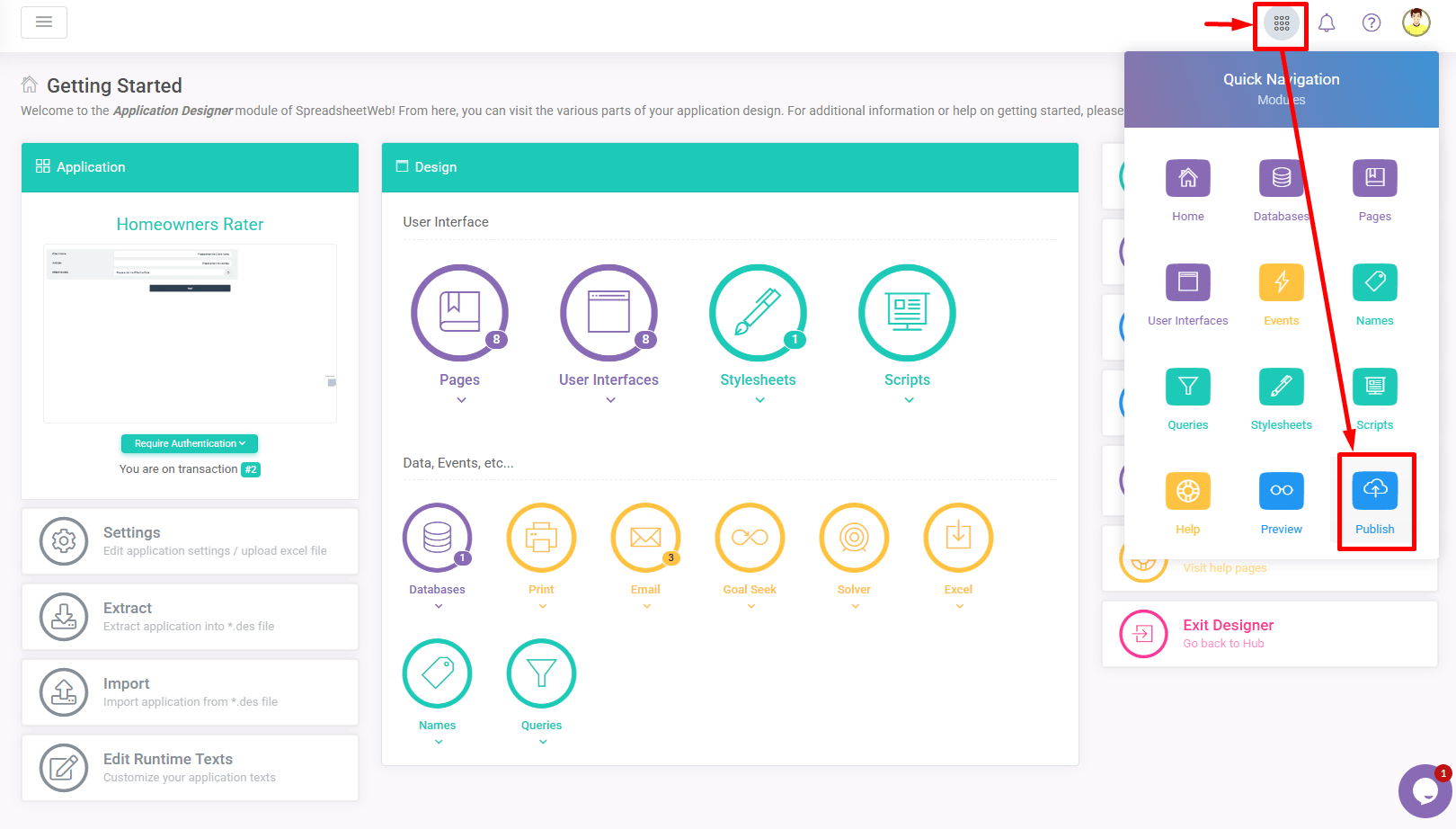

Until you publish your transaction, you will be able to freely leave the system and enter the design-mode of the application again. All changes that you make will be saved with your current work-in-progress transaction until that transaction is published.
Publishing a transaction is a permanent action – you will not be able to edit that transaction again. Instead, when you next want to make changes to your spreadsheet model or to your web interface, you will be prompted with a message indicating that there is no current work-in-progress transaction and that you can create a new transaction.
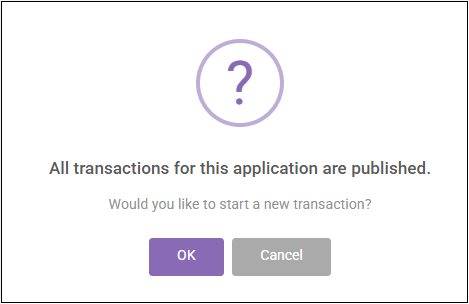

Upon starting a new transaction, all of your application’s data, changes, controls, and interface settings will be copied over to your new transaction, where you can freely make any and all additional changes. Changes made to your new transaction will not affect the production/published version of your application until you publish again.
If you have a work-in-progress transaction that you would like to remove, either for the purpose of starting again from the previous transaction as a baseline or because it was created unintentionally, any work-in-progress transactions (after the first publish) can always be deleted from the Transaction History screen in the Application page of the SpreadsheetWeb Hub.